Write once and publish to all your networks
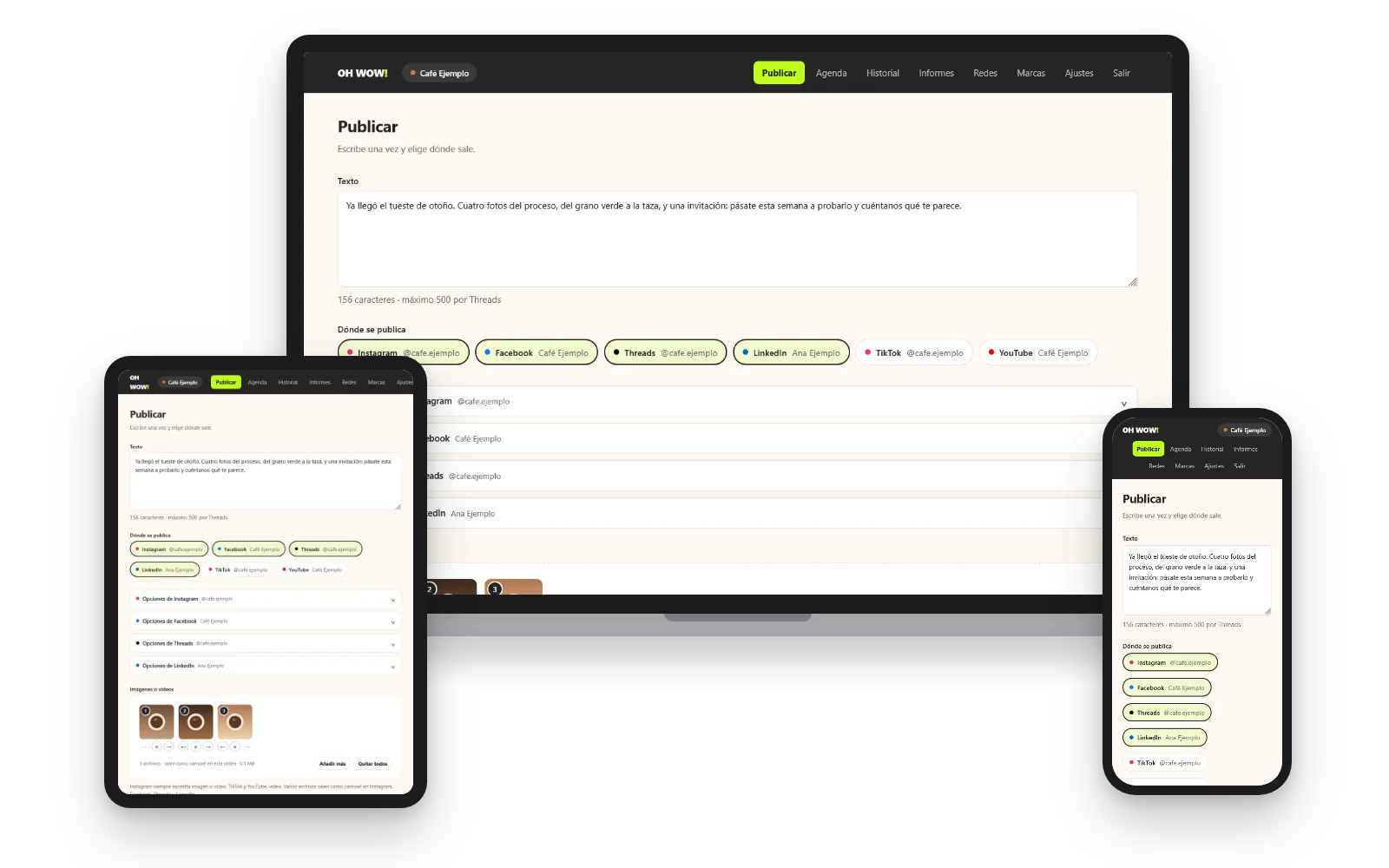
The publishing panel built by OH WOW! Agencia brings Instagram, Facebook, Threads, LinkedIn, TikTok and YouTube together on one screen, so you prepare each post once and follow it through without jumping from one app to another.
A tool by OH WOW! Agencia for the brands, creators and teams it works with. Access is by invitation.
- Threads
- TikTok
- YouTube
Who it is for
A good fit if
Not a fit if
What it does on each network
OH WOW! Studio only publishes what you prepare, at the moment you decide. For reports it reads a few figures from your own account once a day, and it never touches your messages, comments or other people’s data.
-
Instagram
Publishes: Photos, carousels, reels and stories to your professional account, which connects through the Facebook Page it is linked to.
Reads for reports: Your followers and your number of posts.
-
Facebook
Publishes: Text and one or several photos to the Pages you manage, and you choose which ones when you connect.
Reads for reports: Each Page’s followers.
-
Threads
Publishes: Text, photos, videos and carousels to your profile.
Reads for reports: Your followers.
-
LinkedIn
Publishes: Text and one or several images to your personal profile.
Reads for reports: No statistics at all.
-
TikTok
Publishes: Videos with the privacy you choose, respecting the comments, duets and stitches you have turned off, with the option to disclose commercial content. Afterwards it asks TikTok whether the video went out.
Reads for reports: Your followers, likes and number of videos.
-
YouTube
Publishes: Videos to your channel, with the title, description and privacy you choose.
Reads for reports: Your subscribers, views and number of videos.
Publish
One post, with what each network asks for
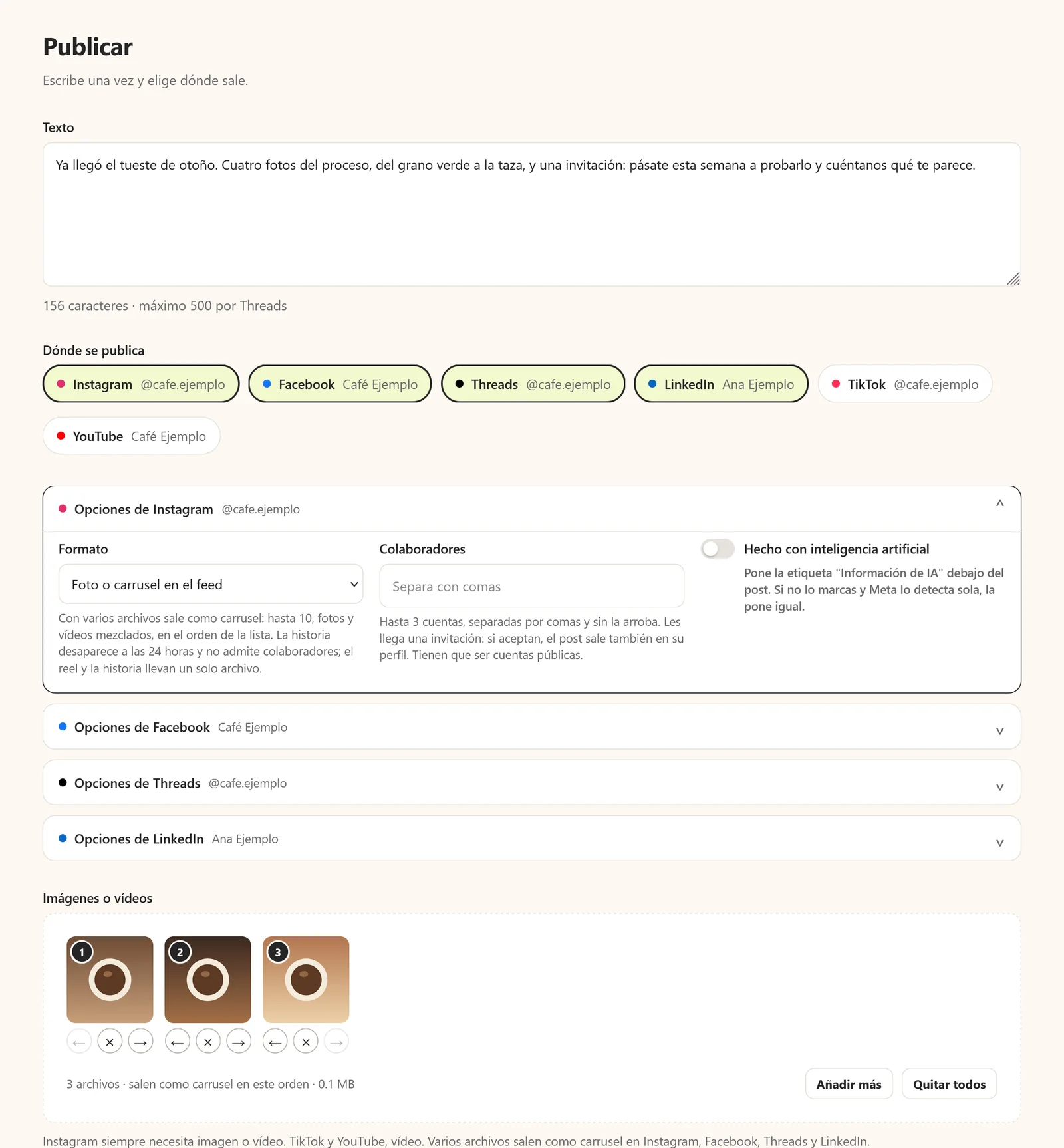
You write the text once, add your photos or videos and tick the networks it should go to. Each network keeps its own options, from the Instagram format to TikTok’s privacy or the YouTube title, and the panel warns you before sending if something does not fit what that network accepts, so mistakes are fixed before publishing rather than after.
- Carousels of up to 10 files
- Each network’s own options
- Warning before sending
- AI-generated content label
Schedule and history
Know what went out, where and why something failed
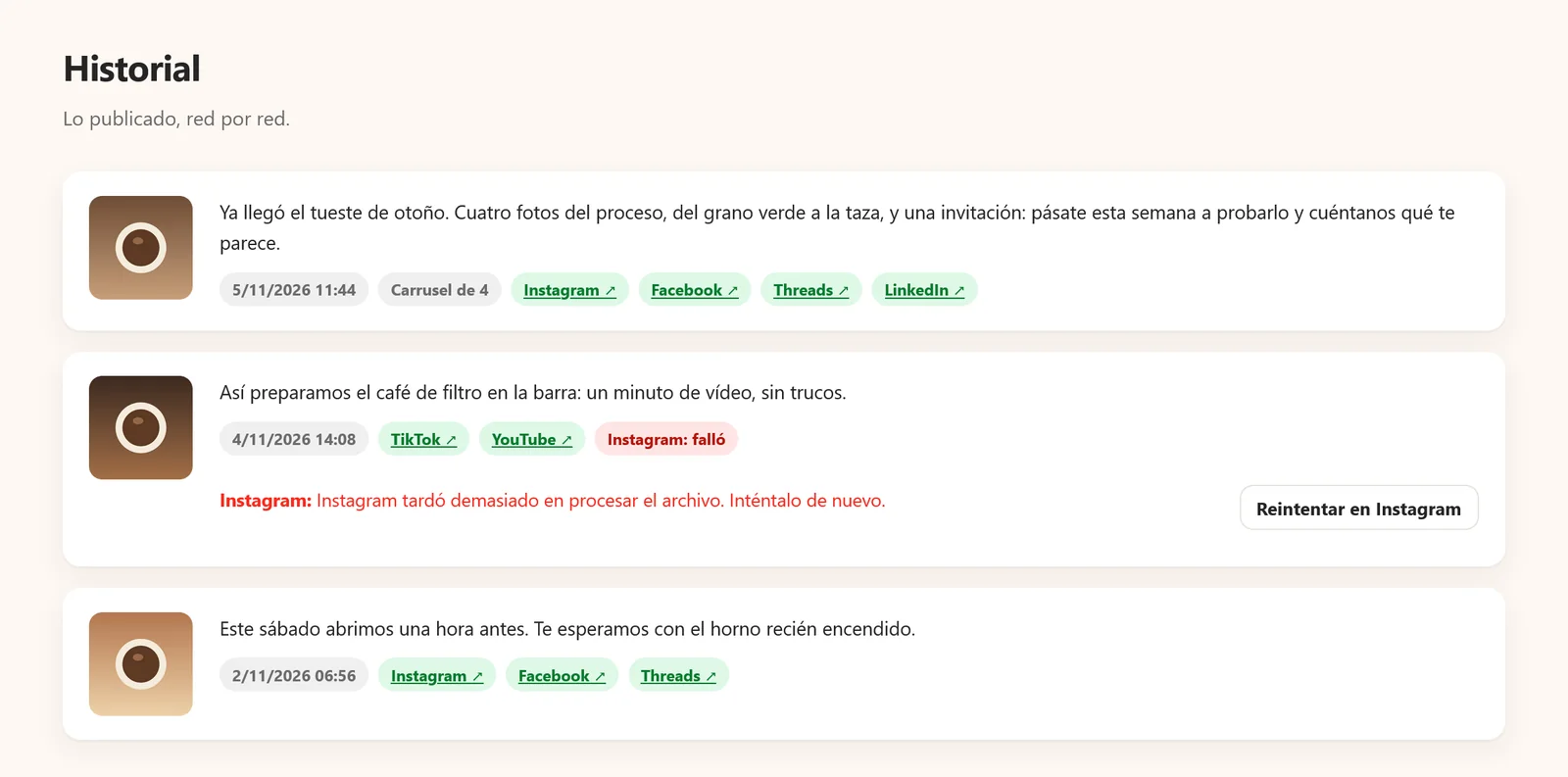
Each post goes out right away or at the date and time you choose, even when you are not around, and the schedule lets you review or cancel whatever is waiting its turn. Afterwards, the history gathers what went out on each network with its link, and if a network fails it shows the exact reason and lets you retry that network alone, leaving the ones that worked untouched.
- Scheduling by date and time
- Schedule of pending posts
- Reason for every failure
- Retry a single network
Reports
How each account is growing, in a single view
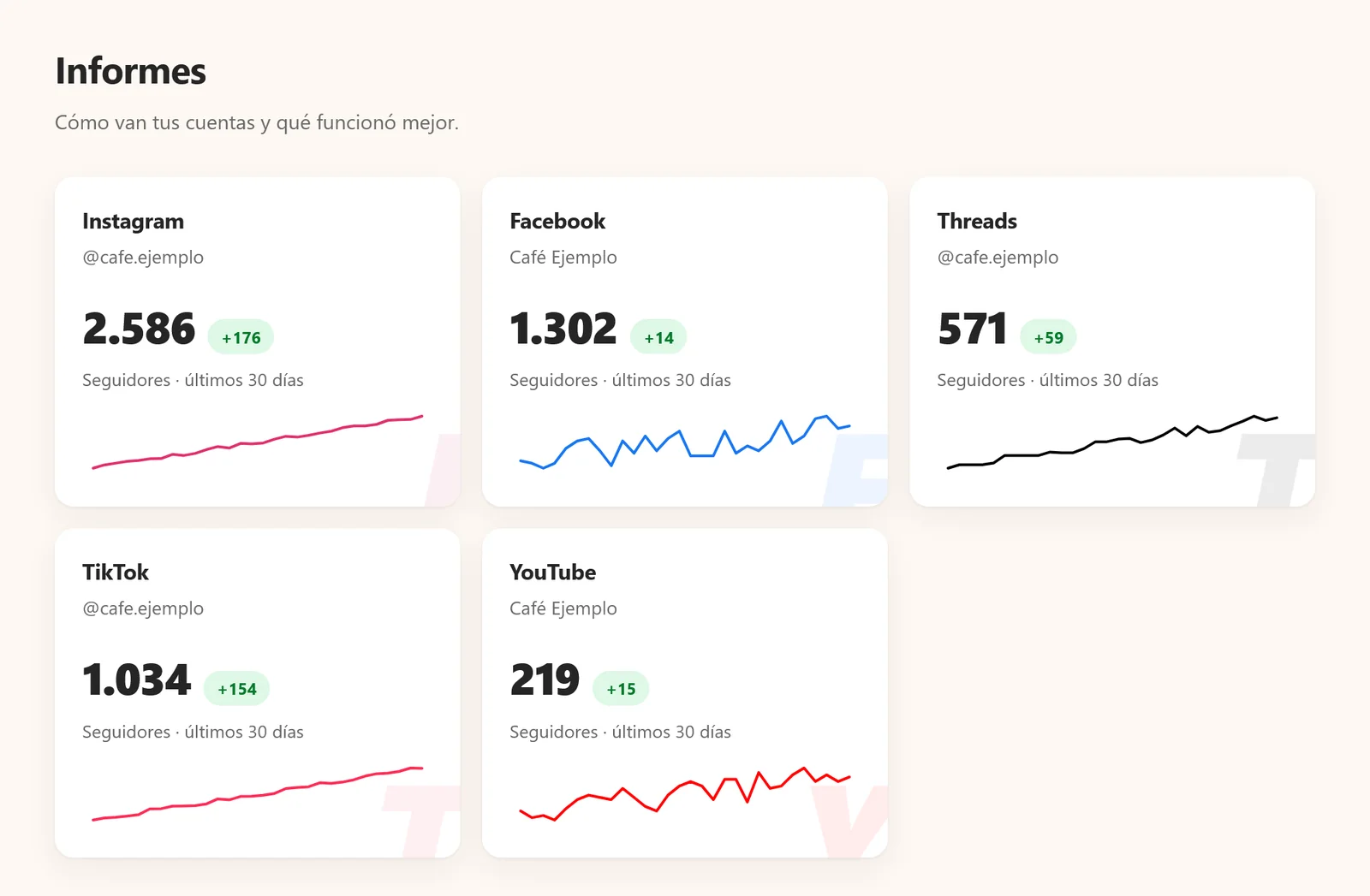
Once a day the panel records the followers of every connected account and charts how they have changed over the last 30 days, so you can see at a glance where each network is heading. And when a network’s permission is about to expire, you get an email so you can renew it in time.
- Followers per account
- Last 30 days
- Alert before expiry
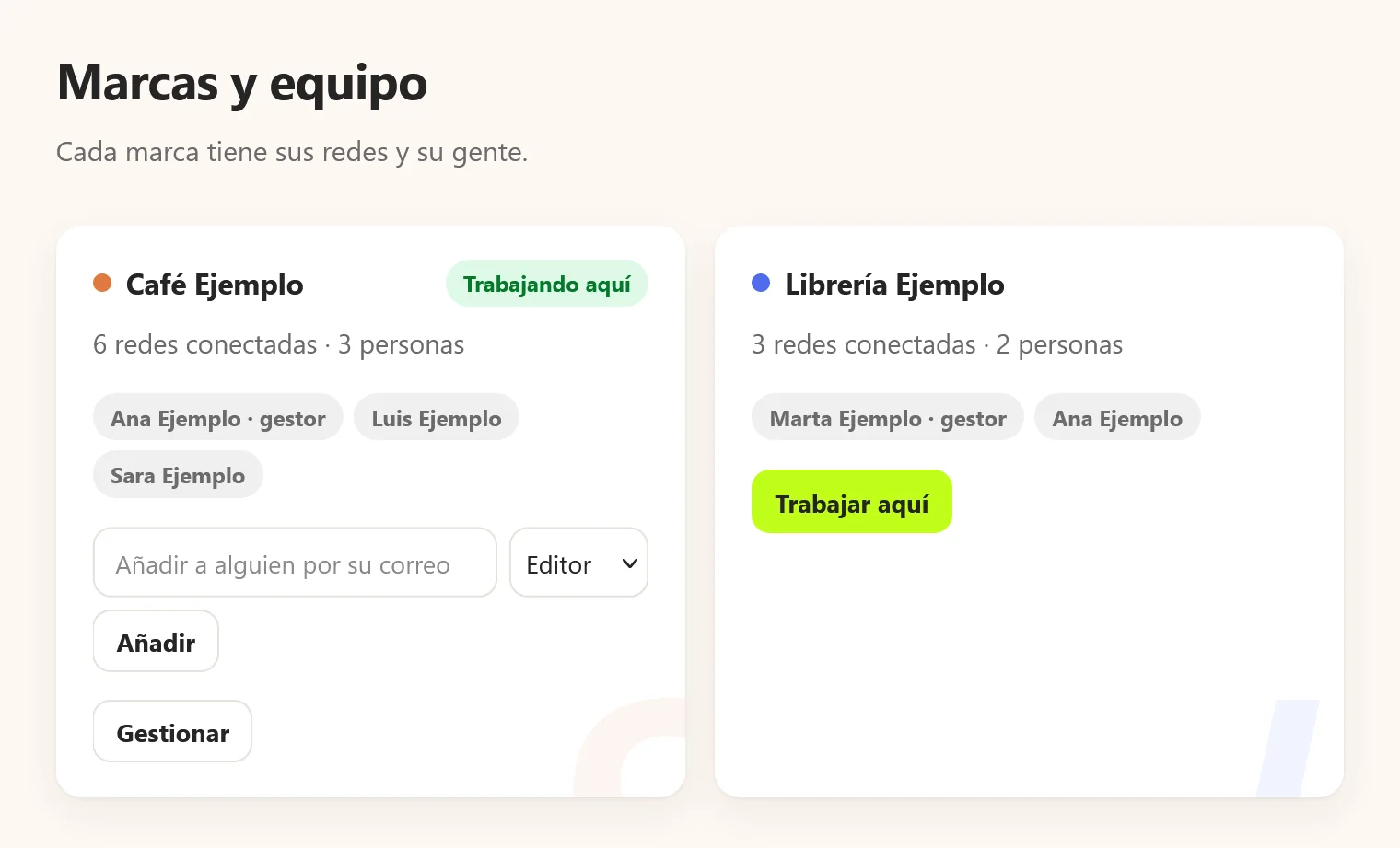
Brands and team
Each brand, with its networks and its people
Work is organized by brand, and each brand brings together its networks and the people who work on it. Whoever holds the manager role connects and removes networks and adds other people, while editors write and publish. When you connect Facebook or Instagram and run several Pages or accounts, you choose exactly which ones join each brand.
- Manager and editor roles
- Several brands in one account
- Choose Pages when connecting
Your data, under your control
Each network’s official login
Every network connects through its own official login, so OH WOW! Studio never sees your passwords: it receives a permission that you grant and can revoke whenever you like.
Encrypted keys in the European Union
The access keys each network issues are stored encrypted on servers in the European Union and are only used to publish, on your behalf, what you tell it to.
No data sales, no advertising
Your data is never sold or used for advertising, the panel adds no watermarks or promotional text to what you publish, and it only uses the technical session cookie.
Disconnecting deletes at once
When you disconnect a network, its keys, statistics and history are deleted at that very moment, and images and videos leave the server seven days after they are published.
The full details are in the Privacy Policy, and the steps to delete your data are on the data deletion page.
Publishing to six networks should not mean doing the same work six times. OH WOW! Studio turns that routine into a single step and keeps in view what went out, where and how it went, while your accounts remain yours.
Frequently asked questions
How do I get access to OH WOW! Studio?
Access is by invitation. Write to us at info@ohwow.es and, if it is a good fit, OH WOW! Agencia sets you up in your brand; then you connect your networks yourself.
Does the app know my social network passwords?
No. Each network connects through its official login, and OH WOW! Studio only receives a permission that you can revoke at any time, from the panel or from the network itself.
Can I post to a LinkedIn company page?
Not yet. Today OH WOW! Studio publishes text and images to your personal LinkedIn profile, and company pages are not available.
What happens if a network fails to publish?
The history tells you which network failed and why, with the exact message. You can retry that network alone, and the ones that already went out are left untouched.
Does it read my messages or the comments on my posts?
No. It only publishes what you prepare and, for reports, reads a few figures from your own account once a day. It never reads messages, comments or other people’s data.
What language is the panel in?
The panel’s screens are in Spanish. This page, the Privacy Policy and the Terms of Service are also available in English.
Request access to OH WOW! Studio
Write to us telling us which brand you run and which networks you publish to, and we will tell you how to get started.